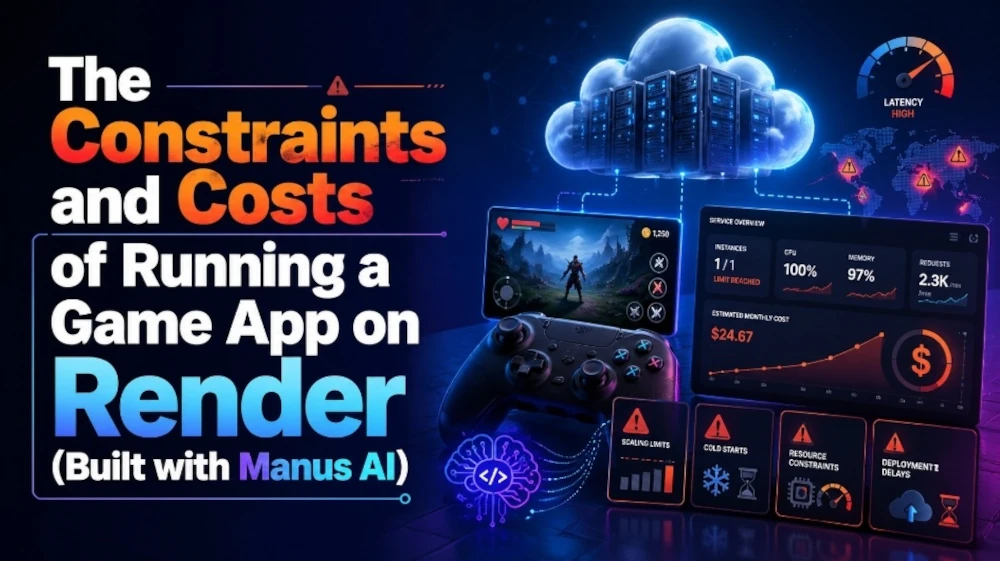
Experience the experimental full-stack game built in about one hour with Manus AI and deployed on Render. It may have bugs, but that is part of the point — seeing how fast generative AI can turn ideas into playable public demos.
Since this demo page is hosted on the free plan, it may take about a minute to load.
Latest Game SteamRunner
Play SteamRunner and earn rewards you can use in future MMORPGs
This retro-inspired running action game, with echoes of Pac-Man and Space Invaders, is fun on its own — but it also sparks a bigger question about where games may be heading. As you play, you can earn in-game currency tied to a future blockchain MMORPG, along with crypto rewards that may be converted into stablecoins. While that MMORPG’s AI direction is still unknown, it is hard not to wonder how deeply AI may shape the future of games — in development, world design, NPC behavior, and player experiences. That intersection is still blurry, but it may be one of the most exciting frontiers in gaming.
Summary
The biggest takeaway from this experiment was simple:
Using Manus AI’s free tier, I built a buggy but working full-stack game in one hour, and pushed it to a public demo on Render.
Yes, Render free hosting has limitations.
But for demo purposes, those limitations were acceptable.
And more importantly:
Even full-stack games can now be built and shipped quickly by individuals using generative AI.
The difficulty hasn’t vanished completely.
But the barrier to building and shipping has clearly dropped.
And that means modern indie development may be less about perfection, and more about:
Before this project, I had already built my first HTML game, which became an important stepping stone for experimenting with game logic in the browser.
— Behind the Scenes of Developing a Battle Game Centered on Chanting —
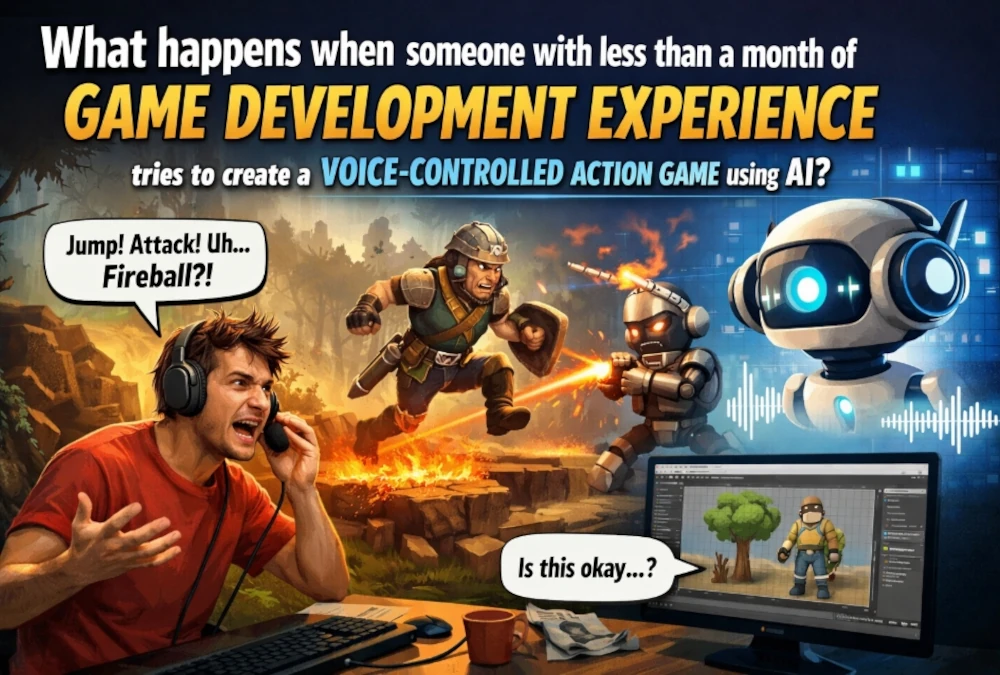
What happens when someone with less than a month of game development experience tries to create an action game controlled by voice input?
It probably does not go smoothly.
The design falls apart halfway through. The naming gets messy. You fix one thing, and something else breaks.
But I think that messy process is exactly where the real story of development shows up.
This time, I want to share some behind-the-scenes thoughts on the voice-input action game I am currently making. This is not so much a polished postmortem of a finished game, but more of a record of how a beginner actually struggles, where the time goes, and how the game slowly starts taking shape.
First, what kind of game am I making?
The game I am making is a side-scrolling action game where you cast magic by speaking words like “Fire,” “Water,” and “Wind.”
It looks cute on the surface, but the systems behind it are surprisingly ambitious.
Voice recognition to cast spells
Three basic magic types
Combined spells
Different enemy behavior patterns
Day/night and field variations
Support magic
Energy accumulation and gate creation
Stage clear sequences
Environmental gimmicks like campfires and fallen logs
For someone with less than a month of game development experience, I am probably trying to do too much.
And naturally, the more I added, the harder things became.
The most time-consuming part is not “adding new features” It is making everything work together naturally
This is the biggest thing I have learned while making the game.
When you are a beginner, moments like “I made magic appear!” or “The enemy moves!” are exciting. Those isolated features can be surprisingly fun to build.
But the real difficulty comes after that.
Take enemy behavior, for example.
Chase the player
Patrol within a certain range
Attack
Run away if there is a campfire nearby
Jump
Land on the ground properly
Turn in the right direction
Trying to make all of those behaviors coexist at the same time suddenly becomes very hard.
You get situations like:
“I added the fleeing behavior, and now it no longer attacks.”
“I restored the attack logic, but now it seems to prioritize the player over the fire.”
“It runs away from the fire, but its face is still turned toward the player, which looks weird.”
As a beginner, I realized there is a huge gap between writing individual pieces of logic and making the whole thing look natural as a game.
The thing I am struggling with most right now: the slime’s “campfire panic”
Lately, the thing I have spent the most time on is slime behavior.
In the night field, if you hit fallen logs or piles of dry branches with Fire magic, they ignite. I wanted slimes to react to that.
It sounded simple at first:
“If there is a burning campfire nearby, the slime runs in the opposite direction.”
But once I implemented that, a lot of other problems appeared.
Its patrol logic was still active, so even after fleeing, it would reach the edge and turn back
Its facing update was still tied to the player, so it ran away while still looking at the player
If I made it stop attacking while fleeing, it actually felt less alive
That last one was especially interesting.
At first glance, “a fleeing enemy should not attack” sounds logically correct. But when I actually watched it on screen, it felt unnatural.
So I ended up going in the opposite direction.
Now the slime panics and runs away, but still attacks in a desperate, reckless way. That made it feel less mechanical and more like a living creature.
This was the kind of adjustment I could not have figured out just by looking at code. I only understood it after watching it move in the actual game.
What matters more than “correct logic” is “logic that feels convincing”
One thing I have felt over and over during development is this:
What matters is not whether the logic is technically correct. What matters is whether the player can look at it and feel that it makes sense.
Take the campfire effect, for example.
At first, it worked functionally. Things burned, and slimes reacted.
But visually, the flames were too small.
From a system point of view, the fire existed. But on screen, it looked more like a little glow than an actual dangerous fire.
If the player cannot clearly read “that thing is burning,” then the slime running away from it does not feel justified.
So now I am adjusting it like this:
Piles of dry branches get flames at double size
Fallen logs get flames at triple size
That felt symbolic of a much bigger lesson.
In games, what matters is not what is happening internally. What matters is what the player can understand from the screen.
The most beginner-like weakness shows up in naming and organization
One area where I really feel my inexperience is in code organization.
As I keep adding new features, the number of conditionals grows rapidly. Different enemy types need different movement. Special fields need special logic. Certain attacks only work under certain conditions. Support magic overlaps with other systems.
And then you start getting situations like:
“Why does a piece of code named dragon affect slime behavior?”
That is very real beginner development.
At first, you build things with the mindset of “if it works, it works.” And honestly, that is not even wrong in the beginning. You need to make things move somehow.
But once the project grows, your future self starts getting confused.
There were moments while adjusting slime behavior when even I had trouble immediately understanding where I needed to edit things.
That made me realize something important:
The difficulty of development is not just in making enemy AI. It is also in keeping the code readable enough that you can still work on it later.
Voice-input games come with their own very specific problems
The core of this game is that it can be played using your voice. That sounds cool, but it is much more troublesome than it looks.
Voice recognition does not hear things the way you want it to.
So it is not enough to just detect the word “fire.”
In reality, I end up handling a lot of variations like:
fire
fir
firee
waterr
window (misrecognized instead of wind)
resurection (a broken version of resurrection)
That part has been surprisingly interesting.
Sometimes it feels like I am not just making a game. It feels like I am also gradually building a dictionary of likely mishearings.
As a beginner, I found that making voice input feel natural was in some ways harder than making the magic itself stronger or more interesting.
But at the same time, this is also what makes the game feel unique. Without that messy voice-recognition layer, it would just be another keyboard action game.
Because of that, it really feels like a game where words themselves hold power.
One of the most fun parts was not adding mechanics. It was making systems connect to each other
Personally, one of the most satisfying parts of development was not adding isolated features. It was seeing different features begin to connect.
For example:
Your Magic Experience Points increases your magic level
Higher magic levels unlock combined spells
Defeating enemies fills up Cosmos Energy
When Cosmos Energy is full, you can create a transfer gate
In the night field, Fire can burn fallen logs and branch piles
Slimes panic when they encounter those flames
Once these links started to appear, the world stopped feeling like a collection of test functions. It started to feel more like an actual game world.
One of my favorite parts is that magic no longer affects only enemies. It also affects the environment.
When beginners make games, it is easy for everything to stay trapped within the simple loop of “attack” and “enemy.” But the moment the player can affect the world itself, the game suddenly feels much more real.
That gave me a lot of confidence.
Trying to do too much is exhausting. But trying to do too much also taught me a lot
Honestly, for someone with less than a month of experience, putting all of this into one project is a lot.
Basic magic
Combined magic
Support magic
Three enemy types
Splitting slimes
Field variations
Campfire gimmicks
Voice input
Energy systems
Stage clear conditions
It probably would have been cleaner if I had made something much smaller. There would have been fewer bugs too.
But because I pushed too far, I learned something important very clearly:
Adding features and making the whole game hold together are completely different problems.
In that sense, maybe it was actually a good thing that I ran into this wall while I am still a beginner.
Right now, I do not think I am in the stage of “making it well”. I think I am in the stage of “learning how to fall properly”
If you look only at the level of polish, the game is still far from finished.
The priorities between systems still collapse sometimes. The visuals are still being adjusted. There are still many parts I want to go back and improve.
But I think that is okay.
What happens when someone with less than a month of game development experience tries to make a voice-controlled action game?
The answer is probably this:
You take a lot of detours. But those detours teach you things you could not learn any other way.
Things like:
what breaks when you change a certain piece of code
when to prioritize visuals over logic
why “technically working” is not enough if it does not feel good to play
why naming and structure matter if you want your future self to survive
why, in games, feeling convincing matters more than being theoretically correct
Those are the lessons I am learning right now, in real time.
The most interesting part of this game might be that it is still moving forward while still being immature
There is a lot to learn from highly polished development logs made by skilled developers. But that is not really the part I want people to see here.
What I want people to see is the process itself:
A person with less than a month of game development experience, trying to build something they do not fully understand yet, breaking it, fixing it, and slowly turning it into a game.
It is not clean. It is probably full of unnecessary detours. But because of that, it is real.
“This is what happens when a beginner makes a game.”
As a snapshot of that process, I think this project is being very honest.
It is not finished yet. But at least now, it feels like I have moved from the stage of just making things to the stage of trying to make them actually work together as a game.
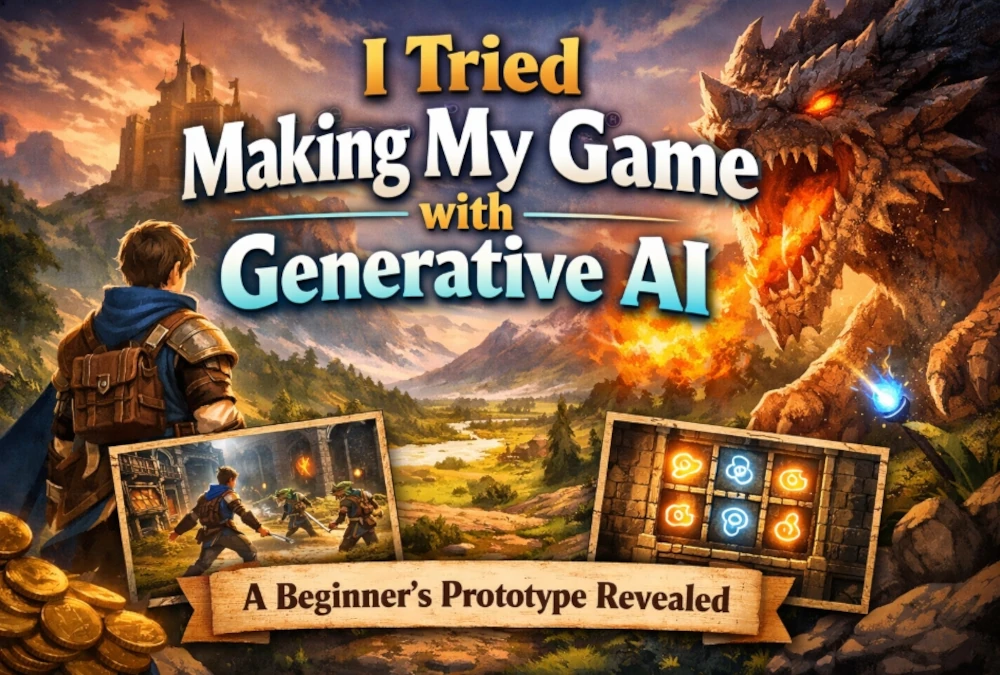
In my previous article, I introduced a prototype of a game I created using generative AI.
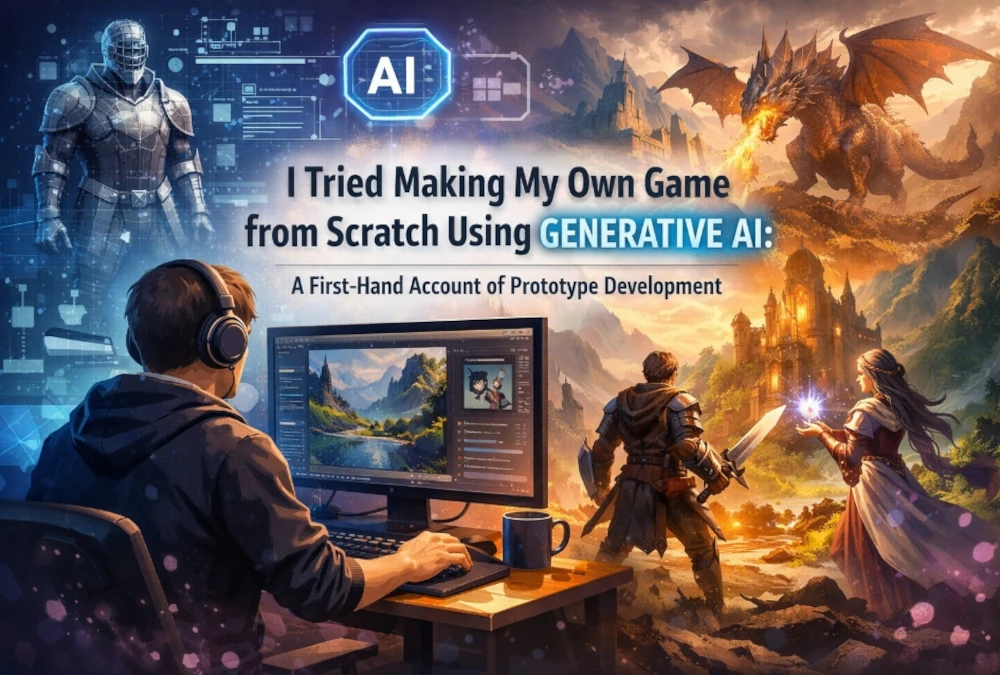
In this article, I’ll share my personal experience—specifically, what actually happened during the development process and how far I was able to get as a complete novice in game development.
The focus of this article is not to compare the merits and demerits of each tool.
Rather, this is an article reflecting on my personal experience to answer the question: To what extent could a game development novice create something that actually feels like a game by using generative AI?
An overview of the completed game and the demo page are summarized in the introduction article.
My Background as a Beginner
First, I’ll outline my background.
No prior experience in game development
No prior experience in 3D data modeling
However, I have 17 years of professional experience as a systems engineer, IT help desk specialist, and systems administrator
About 3 years of experience using AI tools
In other words, I’m not completely new to IT.
However, this was my first time actually making a game.
I believe this background is significant.
This is because in many situations where I was able to get through this project, the foundation was not so much game development knowledge, but rather the instincts I acquired through IT work—such as setting up environments, troubleshooting errors, and being vigilant about specification discrepancies.
On the other hand, simply having the program run is not enough to make a game work.
It’s necessary to shape the game by incorporating visuals, sound, world-building, playability, and even presentation—and that was truly a challenge for a complete novice.
Time Taken to Complete the Prototype
As a rough estimate of production time, it took approximately 70 hours for the HTML version and about 90 hours for the Godot version to reach a playable prototype stage. This is not a precise measurement but a rough estimate based on the number of days and hours worked. Note that this does not include the time spent preparing for the demo release; it refers to the time from when I started building until the prototype was in a playable state after repeated revisions. In my experience, the Godot version, being modular in structure, presented more challenges during revisions and adjustments, and I feel that this difference was reflected in the time it took.
My Experience with the HTML Version
Challenges
The HTML version progressed quite quickly at the very beginning.
I remember feeling that “this might actually work” because it took far less time than I had imagined to get something up and running.
However, things weren’t easy from there on out.
What I struggled with most was getting the visuals to look exactly as I intended. Even when I specified specific processing steps, the visual fidelity was low; for instance, the receipts the ATM dispenses initially ended up looking like paper airplanes. It wasn’t enough for it to simply work—it took a significant amount of effort to make the visuals look “realistic.”
Sound was another area where I struggled.
I had to rewrite the audio generation program for each stage multiple times. The issues weren’t just with the code itself; sometimes the audio wouldn’t play due to where it was implemented, and even when it did play, it was often too hard for the player to hear. It’s not enough for the sound to simply play; we had to ensure it felt natural to the human ear, so I felt this was an area where relying solely on AI wasn’t sufficient.
Additionally, as the code grew larger, it became increasingly difficult to have it output the entire text continuously.
While we could generate everything at once up to a certain scale, as the number of lines increased, the output would often stop midway or omit necessary processing. From this point on, simply telling it to “output everything” no longer worked, and detailed incremental instructions became necessary.
Observations from Use
What I noticed while using it was that generative AI struggles in some situations to accurately grasp the final visual form based solely on text.
Especially for parts related to appearance, providing instructions while showing an image made it easier to achieve the intended result, and the accuracy of both input and output improved compared to using text alone. Color schemes also required more than just simple color specifications; adjustments were needed that included gloss and texture.
Another significant observation was that the AI tends to prioritize “working code” and lacks a strong optimization mindset.
Even for the same process, I got the impression that unless the human designer incorporates lightweight and high-speed design principles from the start, the implementation tends to become heavy and slow. I clearly understood that ‘working’ and “running smoothly” are two different things.
Effective Workflow
As conversations grew longer, responses became slower, and the system often stopped midway.
However, starting a new session at a natural breakpoint and resubmitting the entire code at that point tended to make things more stable.
Also, instead of generating the full text every time, specifying additions, deletions, before-and-after changes, reasons for the work, and target sections as differences made it easier to proceed even with large codebases.
With the HTML version, since it’s easy to grasp the whole picture on a single page, it was easier to see exactly what needed to be changed, and I felt the conversation flowed more smoothly than with the modular approach.
Experiences with the Modular Approach
Challenges with the Modular Approach
In modular development like Godot, we could proceed by outputting the entire code during the initial, lightweight stages, but as the processing load increased, outputting the full text tended to stall midway.
From that point on, it became a series of incremental revisions, and if the developer didn’t understand the structure themselves, it became impossible to keep up. In modular development, I felt that rather than leaving everything to the AI, humans need to proceed while maintaining an understanding of the big picture.
What stands out most in my memory is the implementation of the background music (BGM).
No matter how many times I revised the code, it didn’t improve. When I traced the cause, the problem wasn’t with the program itself, but with the file format I was using for the BGM. It wouldn’t play properly with wav, and it wasn’t until I switched to ogg that it finally played. I realized the importance of humans noticing when something is “off” and correcting the course, because generative AI can sometimes veer off track once it goes astray and continue moving in the wrong direction.
The same thing happened with visual adjustments.
The initial obstacles generated were quite simplistic: the airplane had unnatural wings, the juice looked like a stick, and the candy resembled little more than a colored box. By repeatedly adjusting these elements to convey their characteristics, we finally began to create a game that was visually clear and easy to play.
Insights from the Modular Approach
In the modular approach, it was crucial to clearly specify exactly what to change and where when adding, removing, or replacing parts of the program.
Even if the output seemed correct at first glance, upon later inspection, we sometimes found that parts of the generation were missing, so we couldn’t feel confident unless we provided detailed instructions.
However, what I strongly felt during this process was that the very act of developing a game using AI also served as a way to hone debugging skills and structural understanding.
While the AI made things easier, the experience of reviewing its output, making judgments, and making corrections directly translated into improved development skills. Compared to the old days of writing everything from scratch by myself, I feel that development speed has increased significantly.
Limitations I Encountered with the Modular Approach
When I shared the entire module and went through multiple rounds of feedback, there were instances where the AI noticed structural imbalances or processing bottlenecks.
However, for issues like BGM—where the root cause lay not in the code itself but in file formats or implementation conditions—the discussion would sometimes veer off track, leading to a series of irrelevant fixes. While generative AI is convenient, I felt that prioritizing and isolating problems still relies heavily on human judgment.
Additionally, I couldn’t ignore Godot-specific coding conventions, version differences, or UI variations.
Even when I provided the development environment details, it sometimes returned code with syntax errors, so I couldn’t trust it blindly and had to verify it with my own eyes at least once. While the modular approach is better suited for organized development, I felt that it also increases the difficulty for beginners trying to rely solely on AI.
Overall Summary
The Gap Between Initial Expectations and Reality
Before starting, I assumed that even with generative AI, the limit for beginners would be simple 2D games like Space Invaders or Pac-Man.
However, once I actually tried it, that assumption was overturned quite early on. The first step was surprisingly easy, and simply getting something functional up and running was much faster than I had imagined. Even without any game development experience, generative AI allows you to go from “nothing” to a “playable state” in one go. That speed of getting started was one of the things that surprised me the most this time.
However, the ease only lasted until the very beginning.
The more you build, the more issues—such as visuals, movement, sound, structure, and consistency—pile up all at once. Generative AI excels at laying the initial foundation. However, in the subsequent process of refining it into “what you actually want to create,” human understanding and judgment become crucial. In that sense, this experience taught me not that “generative AI can do everything automatically,” but rather that “even beginners can get started quickly, but the closer you get to completion, the more significant the human role becomes.”
Where Generative AI Shone
I felt generative AI was particularly strong in getting the initial prototype up and running and providing a large number of rough drafts for implementation.
Even for something that would take who knows how many years to write from scratch on my own, using generative AI allowed me to get it to the point where it functioned as a prototype in a short amount of time. This is huge. From the perspective of someone with no game development experience, the fact that it made me feel like “I can actually do this” was valuable in itself, but this time, I went beyond that and actually reached a stage where it looked like a real game.
I also felt that generative AI doesn’t just spit out code; its role changes depending on the user’s objectives.
It helped me organize my options when I wanted to think about implementation methods, served as a foundation for my work when I wanted to move forward, and helped me quickly create a rough draft when I had a clear idea of what I wanted to do. In other words, I feel that the strength of generative AI lies not in its versatility, but in its ability to amplify human intent.
Where Human Perseverance Was Needed
On the other hand, there were clearly situations where generative AI alone wasn’t enough.
The most challenging aspects were debugging and maintaining consistency. While it can generate code, when it comes to whether that code truly fits with the whole, whether it breaks other parts after being modified, or whether it works across different environments and versions, it suddenly becomes unreliable.
In fact, there were times when the AI itself would later point out issues with the code it had generated—such as “a definition is missing” or “there’s a duplicate function”—and I felt time and again that the momentum of the output and the stability of its consistency are two separate things.
Furthermore, as conversations grow longer, the burden on the human side increases.
Misreadings, oversights, and assumptions become more frequent, and there were times when we lost sight of the root cause of an error due to these factors. It’s not just a problem with generative AI; there are also difficulties on the human side when dealing with long texts. That’s why it was crucial to implement workflows such as breaking things down into segments, making incremental corrections, and reorganizing and resubmitting the existing code. While using generative AI certainly makes things easier, it doesn’t work if used carelessly; using it effectively requires persistence and organizational skills on the human side.
Where My IT Experience Came in Handy
What I realized once again this time was that even without game development experience, my previous IT work experience served as a solid foundation.
Whether it was understanding runtime environments, being vigilant about version differences, isolating errors, recognizing quirks in interfaces, or handling variations in tool specifications—I felt my past experience directly applied in areas separate from the game itself.
I believe the perspective of not just the program’s contents, but also “how to run that program” and “where to look for problems”, was a sense I could only have developed through my professional experience.
Conversely, I also felt that for someone with absolutely no IT experience, there’s an additional hurdle between having generative AI write the code and actually getting it to run.
What is a module? What is a development environment? What happens when versions differ? Without that foundational understanding, it’s easy to get stuck before you even start game production. Still, this experience demonstrated that even without game development experience, if you have an IT foundation, generative AI can be a very powerful tool.
Conclusion from a Beginner’s Perspective
To conclude from a beginner’s perspective, I believe that by using generative AI, even those with no game development experience can sufficiently reach the point of creating something that looks like a game.
At the very least, I feel we’ve entered an era where it’s realistic to aim to take an idea, bring it to life, test it, and present it as a playable prototype. This is a significant shift. Game development is no longer the exclusive domain of a select few experts; for anyone with a creative drive, the gateway to actually entering the field has widened considerably.
However, it’s not the case that anyone can create everything completely automatically.
As the scale increases, there are definitely areas where human persistence is required—such as consistency, debugging, understanding the environment, and refining the visuals. If your goal is to release a demo, as in this case, simply writing the code isn’t enough; you need to consider everything from testing the functionality to preparing the release environment and organizing how it will be presented.
Furthermore, if you’re looking to sell it on an app store, what comes next is no longer just about programming. A whole new set of practical tasks suddenly comes into play, including release procedures, app store submissions, legal compliance, terms of service, marketing, and ongoing improvements.
Even so, what I can clearly say from this experience is that generative AI has the power to turn a beginner’s challenge into a tangible reality.
Creating the “foundation” of a game has become far more realistic than before. However, the range of skills required varies greatly depending on whether you proceed to releasing a demo or take it all the way to sales. However, I definitely feel that generative AI has shortened the distance from taking that first step to actually shaping the project and releasing it to the world.
For me, generative AI was the force that turned “This might be impossible” into “Let’s just try to make it happen first.”
What I realized through this experience is that while generative AI provides a powerful boost for beginners, it is not a magic tool that can handle everything from start to finish.
Nevertheless, there is no doubt that it brings the possibility of creating a “playable” game—even for complete beginners—much closer to reality.
What I created this time is a prototype of a homemade game made using generative AI.
Rather than aiming for a finished product, I prioritized getting it to a point where it could actually be played.
As a game, I adjusted various elements—such as the movement, visuals, sound effects, BGM, and presentation for each stage—to create an experience that feels like a real game.
My goal was to create a prototype that goes beyond just moving screens, incorporating visual presentation, sound, and the way obstacles are displayed to ensure it holds together as a cohesive prototype.
What I Created
In this project, I utilized generative AI to incorporate the following key elements:
A basic system that functions as a game
Stage-specific visual effects
Implementation of sound effects and BGM
Adjustments to the appearance of obstacles and objects
Creating the overall atmosphere of the screen
Additionally, during the development process, we experimented with both HTML-based architecture and modular architecture.
For this release, we are focusing on the game itself as a showcase to give you a sense of “what we’ve created.”
As for development time, it took approximately 70 hours for the HTML version and about 90 hours for the Godot version to reach a playable prototype stage. These are not exact measurements but rough estimates based on the number of days and hours worked. Please note that this does not include the time spent preparing the demo for release; rather, it represents the time from when I started building until the prototype was in a playable state after repeated revisions. In my experience, the Godot version, being modular in structure, presented more challenges during revisions and adjustments, and I feel this difference was reflected in the time required.
What Was Created Using Generative AI
The key point here is that even even without game development experience, I was able to actually create a game prototype by leveraging generative AI.
While I used several generative AI tools, the focus of this article isn’t on comparing tools, but rather on
how far a beginner can take a project by using generative AI.
At first, I thought a simple 2D game would be the limit, but in reality, I was able to take it to a point where it felt quite like a game—including not just the mechanics but also visual effects, sound, and visual adjustments.
Of course, fine-tuning and debugging were necessary, but even so, I feel that the speed at which we went from “nothing” to a “playable state” is a major strength of generative AI.
Additionally, before actually creating a game like this one, I wrote an article simulating how to proceed if you were to create a game using generative AI. This project was also an effort to test just how far we could actually take a game into a tangible form using generative AI, based on the workflow and vision I had outlined in that article.
Highlights
What I want you to focus on in this prototype isn’t so much the level of polish, but rather the fact that a beginner was able to create this much using generative AI.
The highlights include the following points:
It’s actually playable
Although it’s a prototype, it’s not just a sample—it’s reached a state where you can actually play it.
I felt that even when using generative AI, it’s entirely feasible to turn an idea into a working prototype.
It captures the essence of a game, including sound and presentation
We also worked on creating the atmosphere of a game through sound effects, background music, and visual adjustments.
While the visuals and sound were areas where we struggled with adjustments, they are also the parts where we felt the most satisfaction as a prototype.
It’s a challenge from a beginner’s perspective
This project wasn’t undertaken by someone with prior game development experience; rather, it was an attempt to see how far I could go using generative AI starting from scratch.
For that reason, I believe the value lies not so much in the finished product, but in the fact that “a beginner’s challenge has taken shape to this extent.”
Demo Page Link | html type game & module type game
During the creation of this game, I made many more discoveries than I had anticipated—from visual adjustments and sound implementation to debugging and organizing the structure.
I’ve summarized these experiences in a separate article titled Development Experience.
If you’re interested in learning about the challenges I faced during development, how using generative AI helped me make progress, and my perspective as a beginner, please be sure to read that article as well.
Game development using generative AI isn’t magic that automatically completes everything for you.
Still, I felt it holds significant potential in helping beginners bring their ideas to life and progress to the point where they can release a playable prototype.
As a concrete example, I’m releasing a prototype of my own game here.
I hope you’ll take a look at the game itself first, and if you’re interested, please read the development experience article as well.
Not a perfect clone. Not a “full commercial release.” Not a four-year passion project that disappears into a folder called prototype_final_v12.
A real, playable, one-level, Pac-Man-style mini-game? Built solo, as a beginner, in 100 hours?
Yes. That future is very real.
And honestly, it is one of the best possible first projects.
Why? Because a Pac-Man-style game has something beginners desperately need: clear shape. You can see the finish line. A maze. A player. A few enemies. Dots. Score. Lives. Sound effects. Win screen. Done.
The trick is not “use AI for everything.” The trick is to use AI where beginners usually lose time: planning, implementation, asset generation, and debugging.
For this version, the stack is simple:
Engine: Godot
Language: GDScript
Showcase: GitHub
Optional “play now” route: GitHub Pages for the web build
Optional “download now” route: GitHub Releases for desktop builds
That combo is practical because GitHub Pages is a static hosting service that can publish files directly from a repository, GitHub Releases can package binaries for download, and Godot officially supports web export. For this project, though, GDScript is the safe lane: Godot’s documentation says Godot 4 projects written in C# currently cannot be exported to the web.
How to Use This Guide
Read the full roadmap first. Then move section by section: build the feature, check the official source when needed, and keep going until you have a playable game.
This Is Not a Complete Manual — It’s a Beginner Roadmap
This is a map.
A good map does not force one road. A good map lets beginners choose a road that still leads to a finished game.
If you can imagine your first playable game clearly enough to believe in it, you are already halfway there.
Here is the target:
A one-level Pac-Man-style mini-game
Two enemy types
Collect all dots to clear
Score and lives
A few sound effects
A GitHub repository that makes the project feel real
Bonus points if you publish a browser version
That is not “small.” That is smart.
A 30-Second Future Simulator
Imagine this:
100 hours from now, you send someone one link and say, “Play this.”
That is the whole dream.
So fix the goal in one sentence:
Build a one-level Pac-Man-style mini-game in Godot and publish it on GitHub, with a browser-playable version if possible.
Now choose your 100-hour container:
2 hours a day for 50 days
5-hour weekend blocks plus small weekday sessions
10 focused days at 10 hours each
There is no perfect schedule. There is only the one you will actually finish.
And now the most important beginner rule:
Lock your tools to three.
My recommended beginner loadout: • Godot • GitHub • Godot AI Assistant Hub
Add GitHub Copilot only if you want extra implementation help. Use GitHub Pages later, at the publishing stage.
That is enough to finish a first game without drowning in options.
The Real Secret: Win 100 Hours by Using AI in Only 4 Places
Most beginners think AI helps by “doing the whole project.”
Wrong.
AI helps by shrinking the places where time melts.
Use it here:
Planning
AI is great at helping you cut scope. That matters more than clever code.
Code Skeletons
Movement systems, UI states, collision behavior, and basic enemy logic are all perfect AI-assist territory.
Asset Volume
Retro-style projects are not about “one masterpiece asset.” They are about consistent small assets: dots, walls, UI icons, simple portraits, sound placeholders.
Debugging
This is where AI can save entire evenings. Especially when your game “almost works.”
How to Scope a Pac-Man-Style Game for a 100-Hour Build
This is the ritual.
Do not build the original game. Build the version that fits in your life.
Must-Have Features
Tile-based maze
Player movement on a grid
Turn buffering, so cornering feels good
Two enemy types:
one simple chaser
one random mover
Dots to collect
Clear condition when all dots are gone
Score
Lives
Game over
Small sound effects for eating, dying, and clearing the level
Dangerous Features for a First 100 Hours
Full original ghost behavior
Multiple stages
Fancy cutscenes
Overdesigned menus
Too many power-up systems
“Just one more mechanic”
Your goal is not “arcade history accuracy.”
Your goal is:
one small game that already feels good to play.
Why Godot + GitHub Is Such a Good Beginner Combo
Godot is a strong beginner choice because it has clear web export documentation, and projects can be shipped to the browser. Godot also has an ecosystem plugin called Godot AI Assistant Hub, which can read and write code inside the editor and can connect to local back ends like Ollama as well as several hosted options. The project is listed as MIT-licensed in both GitHub and the Godot Asset Library.
GitHub is not just a code host here. It is your display shelf.
Pages = “Play it now”
Releases = “Download it now”
README = “Understand it in 15 seconds”
GitHub Pages can publish from a branch or from a /docs folder, which makes it perfect for a clean beginner setup. GitHub also notes that Pages sites are public on the internet, and its release system is explicitly designed for software packages, release notes, and binary files.
For web export, Godot’s docs recommend using index.html as the export filename, and they warn that renaming exported web files later can cause issues because filenames are expected to stay aligned. Godot’s web export also requires browser support for WebAssembly and WebGL 2.0.
AI-Assisted Tools for Beginners Building a Pac-Man-Style Game in Godot
Prices and plans change often, so verify before publishing. The notes below reflect official pages checked on March 21, 2026.
Code and Implementation
Windsurf
Great when a small change ripples across multiple files. Official docs list Pro at $15/month and Teams at $30/user/month.
Best for: Advanced users
Cursor
Strong for agent-style coding and faster implementation loops. Its public pricing page lists Hobby Free, Pro at $20/month, and Teams at $40/user/month.
Best for: Advanced users
GitHub Copilot
Still one of the easiest starting points for beginners. GitHub currently lists Free, Pro at $10/month, and Pro+ at $39/month for individuals.
Best for: Beginners
Replit
Less relevant if you fully commit to Godot, but still useful if your real enemy is environment setup. Replit’s public pricing currently shows a free Starter tier, Core at $20/month billed annually, and Pro at $95/month billed annually.
Best for: Beginners
Engine-Integrated Help
Godot AI Assistant Hub
This is the most on-theme tool for this stack. It can read highlighted code, write code or docs directly inside Godot’s editor, and connect to local or hosted model providers.
Best for: Beginners
Unity AI
Not the right engine for this article’s main route, but worth mentioning as a comparison point. Unity describes Unity AI as a suite of editor-integrated AI tools, currently in beta, and says it is free during the beta period.
Best for: Advanced users
Planning and Pre-Production
Ludo.ai
Very strong for idea shaping, game concept work, and market-aware pre-production. Official pricing shows Indie at $15/month billed annually and Pro at $35/month billed annually.
Best for: Beginners
Art and Asset Flow
Scenario
Best thought of as a consistency machine. Scenario emphasizes training custom models on your own references to keep outputs aligned with your visual style, and its public pricing information shows a free tier plus paid plans.
Best for: Advanced users
Promethean AI
Less central for a tiny 2D game, but interesting if you grow into more asset-heavy workflows. Its pricing page says it offers a free version with AI asset management and some AI functionality.
Best for: Advanced users
NPC and Character Systems
Convai
Overkill for a first Pac-Man-style project, but valuable if you later pivot into NPC-driven experiences. Convai’s pricing page currently presents plan-based access starting from a Creator tier.
Best for: Advanced users
Coding Support Levels for Beginners
For this project, Godot is the default engine and GitHub is the default home for your project. What changes is how much coding support you want.
Mode
Tools
Best For
What You Gain
Trade-off
Hard Mode
Godot + GitHub
People who want to write more by hand and learn through repetition
Deeper understanding of the basics
Slower progress and a higher chance of getting stuck
Normal Mode
Godot + GitHub + Godot AI Assistant Hub
Beginners who want help inside Godot without overcomplicating the workflow
Easier implementation inside the engine
More of the cross-file connection work still falls on you
Beginners who want stronger help with implementation, fixes, and code connection
Less manual coding and smoother debugging
Slightly more tool dependency
Advanced Power Mode
Godot + GitHub + Windsurf or Cursor
Beginners who want maximum AI coding support, or faster builders who are comfortable using more powerful tools
Strong multi-file editing and faster iteration
Powerful, but easier to lose control of if you are not careful
GitHub Pages comes later, at the publishing stage. Use it when you want to turn your finished web export into a playable public page.
This guide is not a single path. It is a set of workable routes. If one route feels too hard, change the difficulty, adjust your tools, and try again.
The 100-Hour Roadmap
| 0 – 5 Hours: Lock the Shape
One maze
Two enemy types
Start screen, game screen, result screen
Grid movement plus turn buffering
| 5 – 20 Hours: Make Movement Feel Good
This is the soul of the game. If turning feels bad, everything feels bad.
| 20 – 40 Hours: Add Pressure
Enemy A: choose the direction that gets closer at intersections
Enemy B: random turns at intersections
Contact = lose a life
| 40 – 55 Hours: Add the Win Condition
Dots
Score
“All dots collected” = clear
| 55 – 70 Hours: Make It Feel Like a Game
Title screen
UI
Lives
Sound effects
| 70 – 90 Hours: Tune the Fun
Enemy speed
Pause length
Movement rhythm
Retry flow
| 90 –100 Hours: Publish Like It Matters
GitHub Releases for downloadable builds
GitHub Pages for a browser build if your web export works
That final stretch is not “extra polish.” It is the moment the project becomes real.
How to Publish Your Godot Game on GitHub Pages
This is the part that changes how the project feels.
A GitHub repo is nice. A browser link is magic.
If you can send someone a link and they can instantly try your game, your first project stops feeling like homework and starts feeling like a real game.
A clean beginner structure looks like this:
Repository root
README.md
screenshots
controls
“Play Now” link
/docs
exported web build
That structure works especially well because GitHub Pages can publish from a /docs folder on a chosen branch.
And do not forget the README trio:
Play now
One screenshot
How to play
That alone dramatically increases the chance that someone actually clicks.
Three Prompts That Keep Beginners Unstuck
Grid Movement
“Help me implement player movement in Godot for a Pac-Man-style game using grid movement, wall checks, and turn buffering so the player can queue a direction before reaching a corner.”
Enemy AI
“Write simple enemy movement for a Godot grid-based maze game. One enemy should choose the direction that gets closer to the player only at intersections. Another should choose randomly at intersections.”
Dot Clear Logic
“Help me build a dot collection system in Godot where the level clears when all collectible dots are gone, and the game updates score and UI accordingly.”
Tiny prompts beat huge prompts. Every time.
The Traps That Kill First Projects
Trap 1: Trying to Recreate the Original Exactly
That is not discipline. That is scope suicide.
Trap 2: Ignoring Feel Until the End
In this genre, movement feel is not polish. It is the game.
Trap 3: Adding More Levels Too Early
Every new level multiplies testing, collision checks, spawn issues, and tuning time.
Finish one level first.
Always.
Final Line
If a beginner spends 100 honest hours building one small Pac-Man-style game, puts it on GitHub, and sends one link that says:
“Hey—play this.”
That is already a win.
Not because it is perfect. Because it is finished.
And finished work changes what you believe you can build next.
One game becomes two. Two become a shelf. And one day, your GitHub stops looking like a code host and starts looking like a game cabinet.
That is the real prize.
Choose Your Next Step
Want another small 2D game idea to study by playing?
If this Pac-Man-style project made you want to build another compact arcade-style game, try this one first and look at how its core loop feels in action. Play it as a development reference:Smackm — a 2D action tap game
Want a modern 3D reference for collect-and-run gameplay?
If you are curious about how maze-like movement and collection mechanics can evolve in 3D, play this as a reference and study how it handles speed, space, and player flow. Play it as a development reference:Steam Runner
Want to build your own version next?
Go back to the roadmap, choose your coding support level, and make your own small game—one level, one clear goal, and one finished build.
FAQ
Can a beginner really make this in 100 hours?
Yes—if the scope stays small. One maze, two enemies, dots, score, lives, and a clean publish target is realistic. The impossible version is the “arcade-perfect” version.
Should I use Godot or Unity for this?
For this exact beginner-friendly web-publish route, Godot + GDScript is the cleaner fit. Godot officially supports web export, while Godot 4’s C# projects still cannot be exported to the web.
Can I publish a Godot game on GitHub Pages?
Yes. GitHub Pages can publish static files from a repo, and Godot can export for the web. You just need a working web export and a clean publish source such as /docs.
Should I also create a downloadable build?
Yes. Pages is great for instant play, but Releases is ideal for downloadable binaries and versioned updates.
URL:https://github.com/FlamxGames/godot-ai-assistant-hub Summary: Repository page describing the plugin as a Godot editor integration that can read and write code and connect to model providers such as Ollama. (GitHub)
URL:https://cursor.com/pricing Summary: Official Cursor pricing page showing Hobby, Pro, Pro+, Ultra, and Teams tiers. (Cursor)
Replit Pricing
URL:https://replit.com/pricing Summary: Official Replit pricing page for Starter, Core, Pro, and Enterprise. (Replit)
Planning and Asset Creation Tools
Ludo.ai Pricing
URL:https://ludo.ai/pricing Summary: Official Ludo.ai pricing page showing Indie and Pro plans and positioning the product around game research and design support. (Ludo.ai)
Scenario Pricing
URL:https://www.scenario.com/pricing Summary: Official Scenario pages describing style-consistent asset generation, custom model training, and the current free and paid plan structure. (Scenario)
Promethean AI Pricing
URL:https://www.prometheanai.com/pricing Summary: Official pricing page stating that Promethean AI offers a free version with asset management and some AI functionality. (Promethean AI)
Convai Pricing
URL:https://convai.com/pricing Summary: Official pricing page presenting its plan-based structure beginning with a Creator tier. (Convai)
Engine-Level AI Reference
Unity AI
URL:https://unity.com/features/ai Summary: Official Unity page describing Unity AI as editor-integrated tooling that is currently in beta and free during that beta period. (Unity)